

In case a customer did not receive their ticket or you want to view their order details, you need to know how to double-check the email address with which they placed their order.
Log in to your dashboard account
Select Orders, then Order List in the left-hand side menu
Select the date of the purchase
Pro Tip: Start typing the customer's email address in the search box and monitor the results letter after letter, until you can identify the correct one. Remember that the email address registered in the dashboard can be slightly different due to a spelling mistake.
You can find orders by searching with the email address, order number/ID, barcode, discount code, reservation ID, user details or notes.
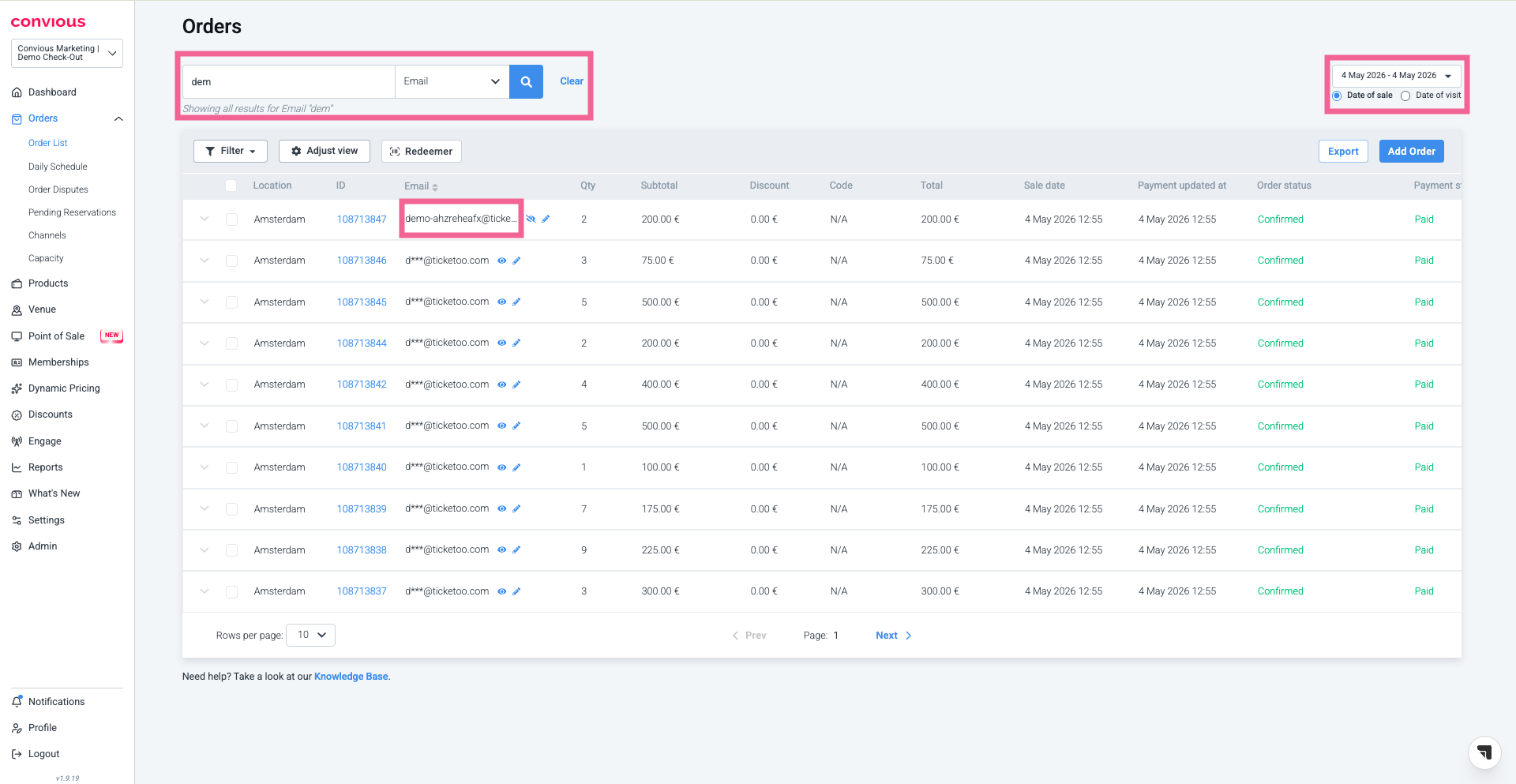
Confirm the order details
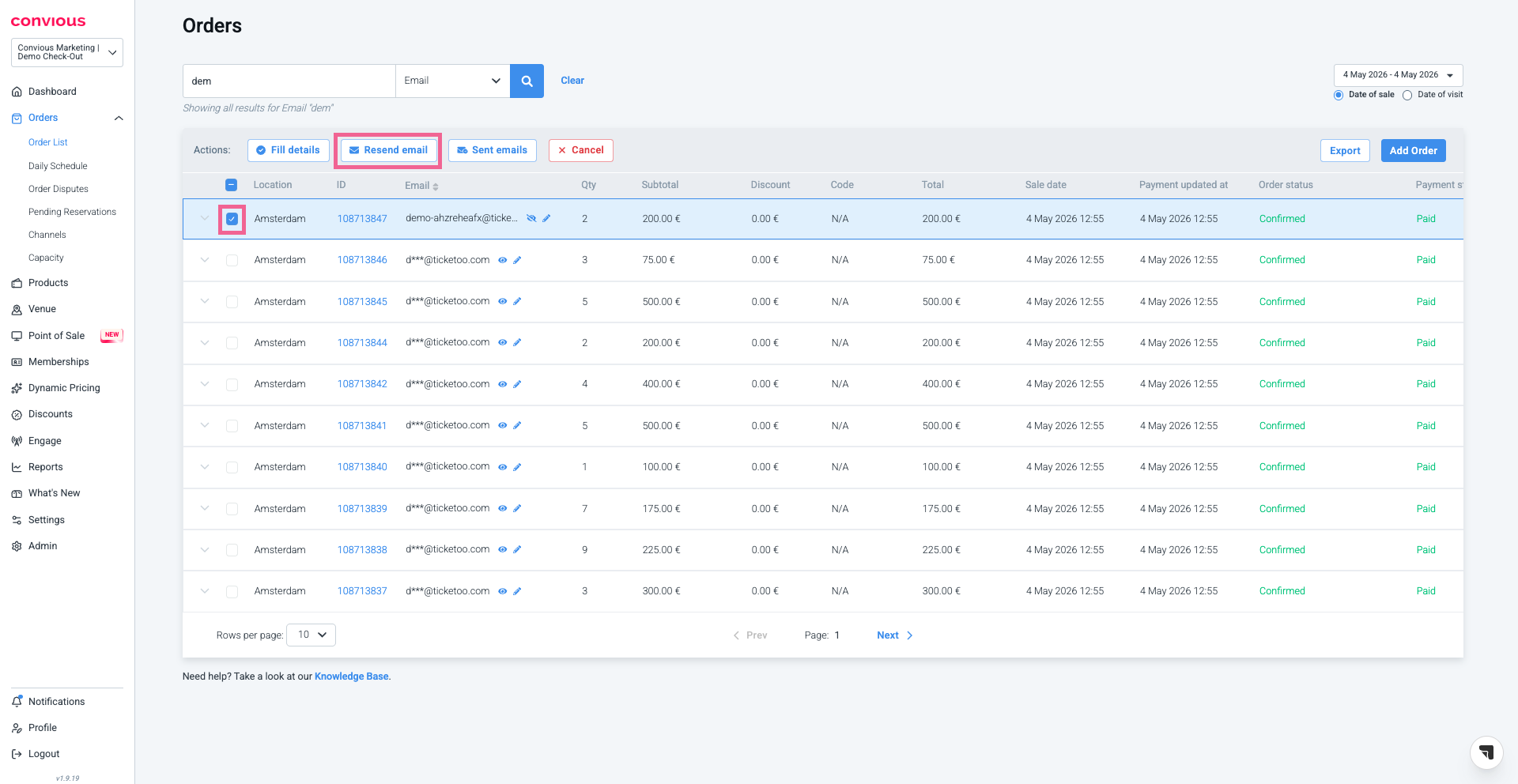
Ask the customer what tickets did (s)he ordered and the price they paid.In case you want to resend the ticket email, type in the correct email address and click in the checkbox of the order and hit the Resend email button.
Done!
If you want to know more about order management and how to support your visitors, here are some following articles we recommend to check out Related Articles below.