

Whether you have handed out voucher codes, or discount codes, or your customers try to place reservations with reservation codes, you will have customers who will run into trouble with their codes.
The most common troubles are a result of one or more of the following reasons:
Invalid codes for certain products
Typos
Expired codes
Already redeemed codes
In these cases, codes do not get approved.
Now, you have additional tooltips that tell your customers what is going on and give advice on what to do.
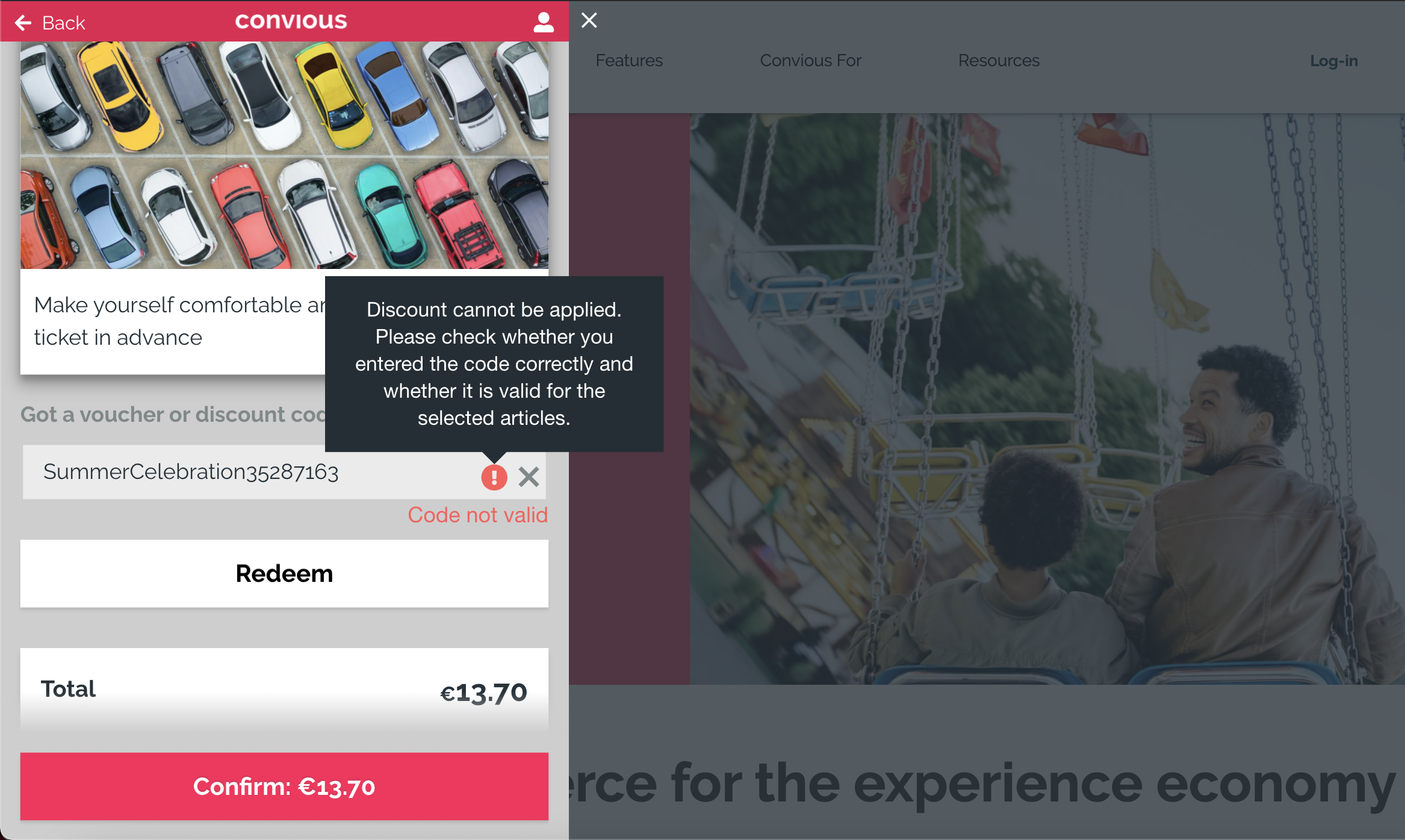
Here is the example tooltip for codes that are invalid for certain products or in the case of typos:
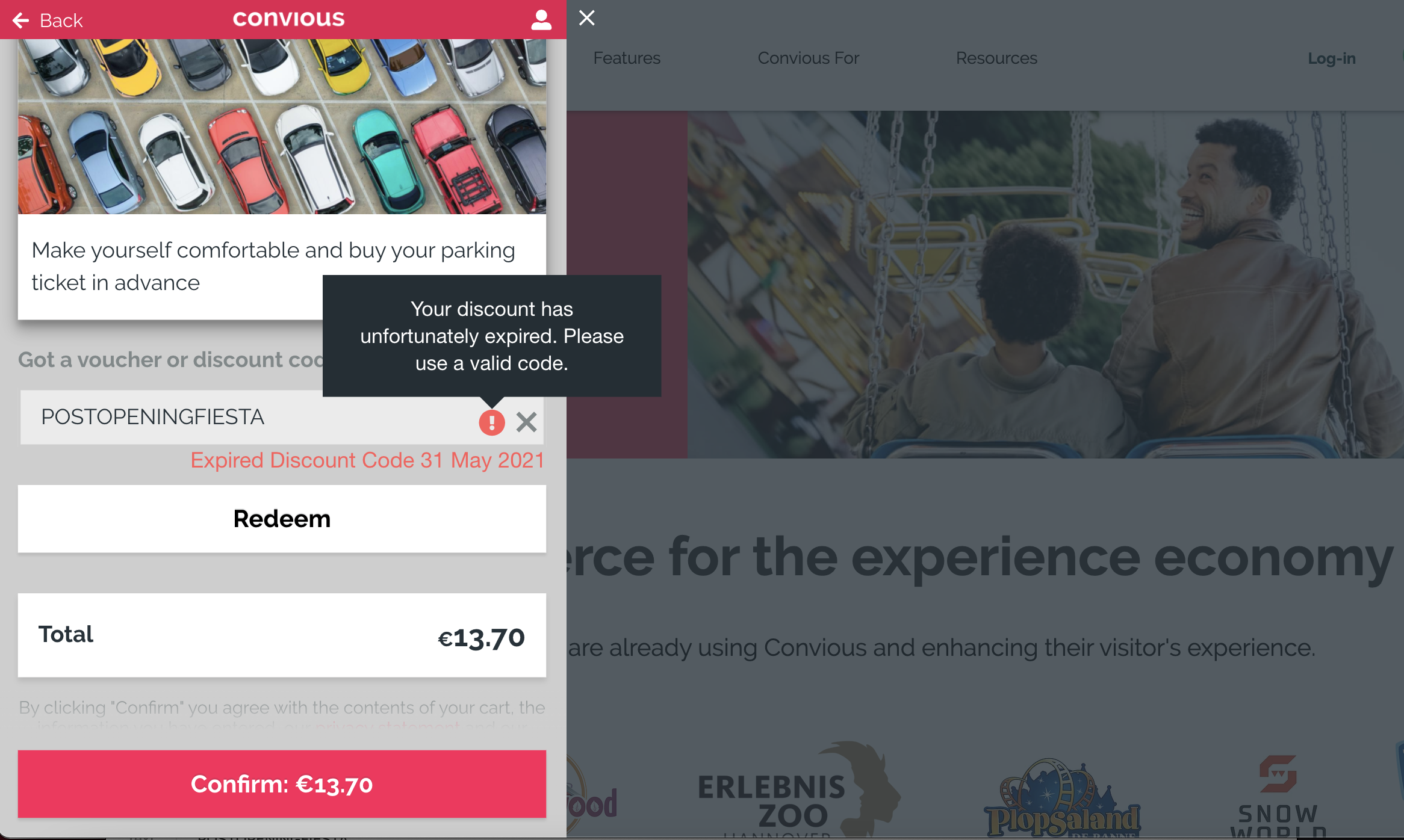
Here is the example tooltip for already expired codes:
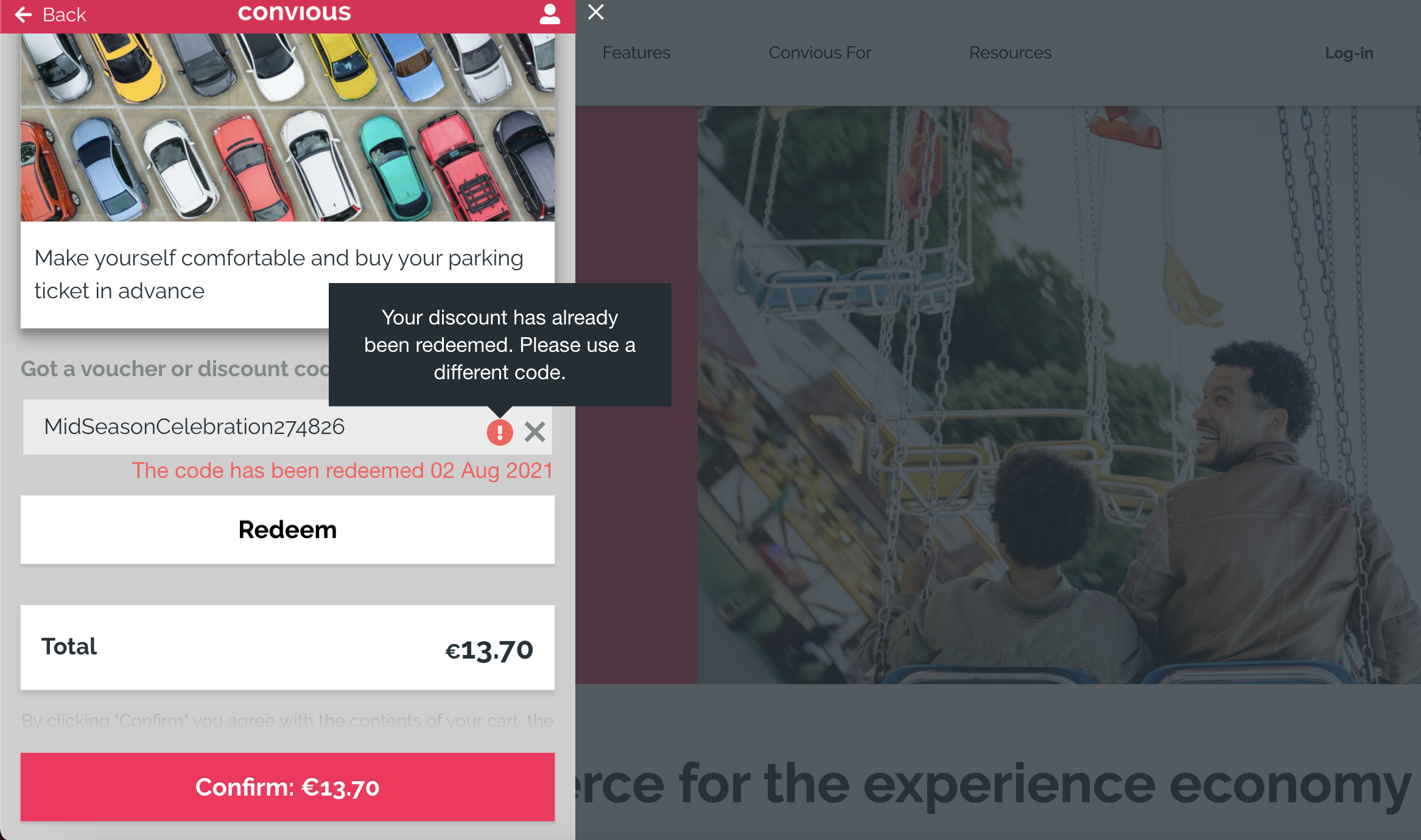
Here is the example tooltip for already redeemed codes:
Of course, these tooltips will be displayed in the chosen language of the ticket shop.
Please note: You can edit the tooltips by finding the copy in your copy editor, but we strongly advise you to stick with the copies we proposed to guarantee technical accuracy in your communication on why a code is not valid. If you want to add additional advice on what actions your customer can take when running into these issues, feel free to do so.