

What is it?
This is a feature to make an admission to the park easier when groups of people (for example school groups) want to get into the park simultaneously. Instead of scanning all tickets one-by-one the person at the gates can scan the single barcode from the order and redeem as many tickets from that order as he needs.
Group Scanning can be used in CodeReadr app or Redeem mode (or both). Click here to see how to set it up for CodeReadr.
How does it work?
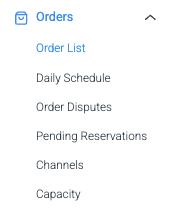
Go to Order List in the Control Panel menu
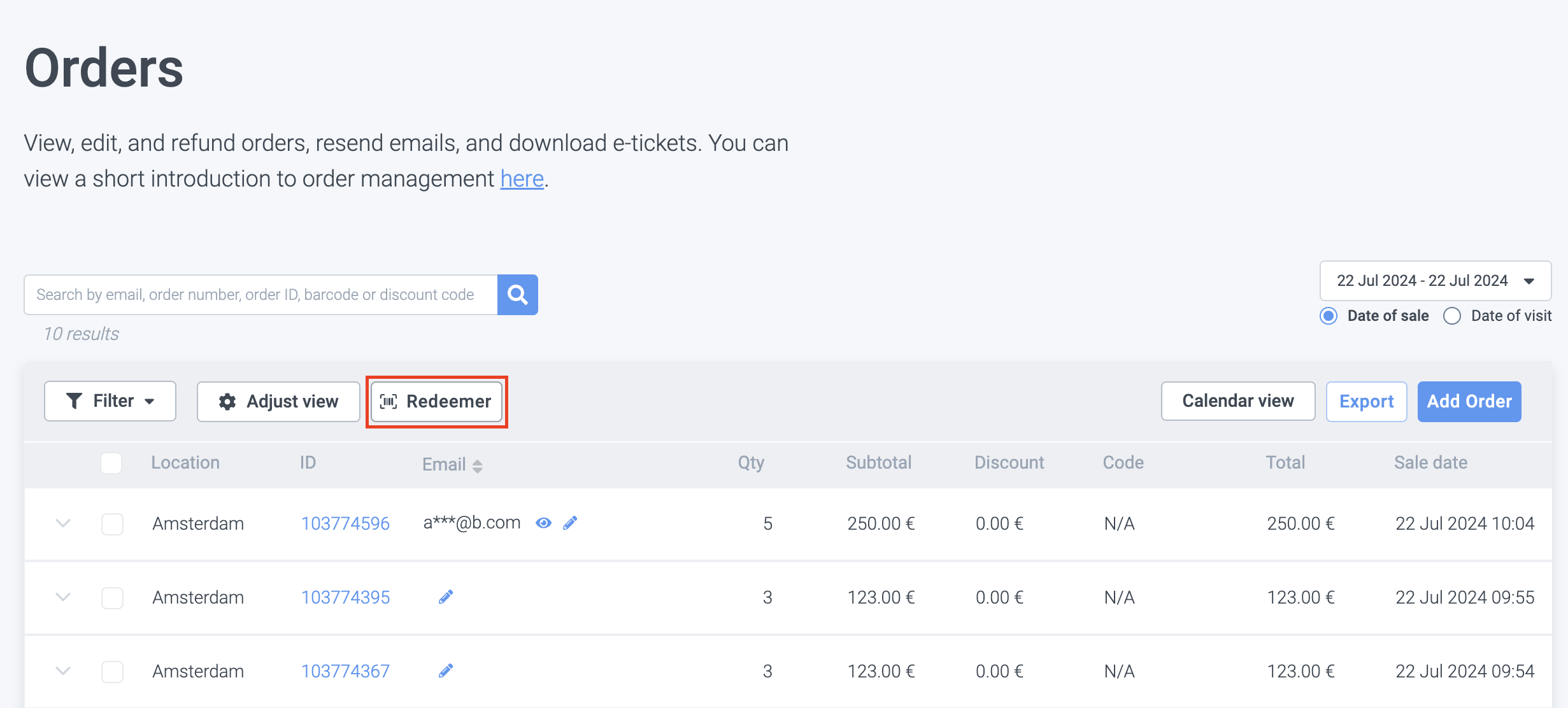
Click on "Redeemer"
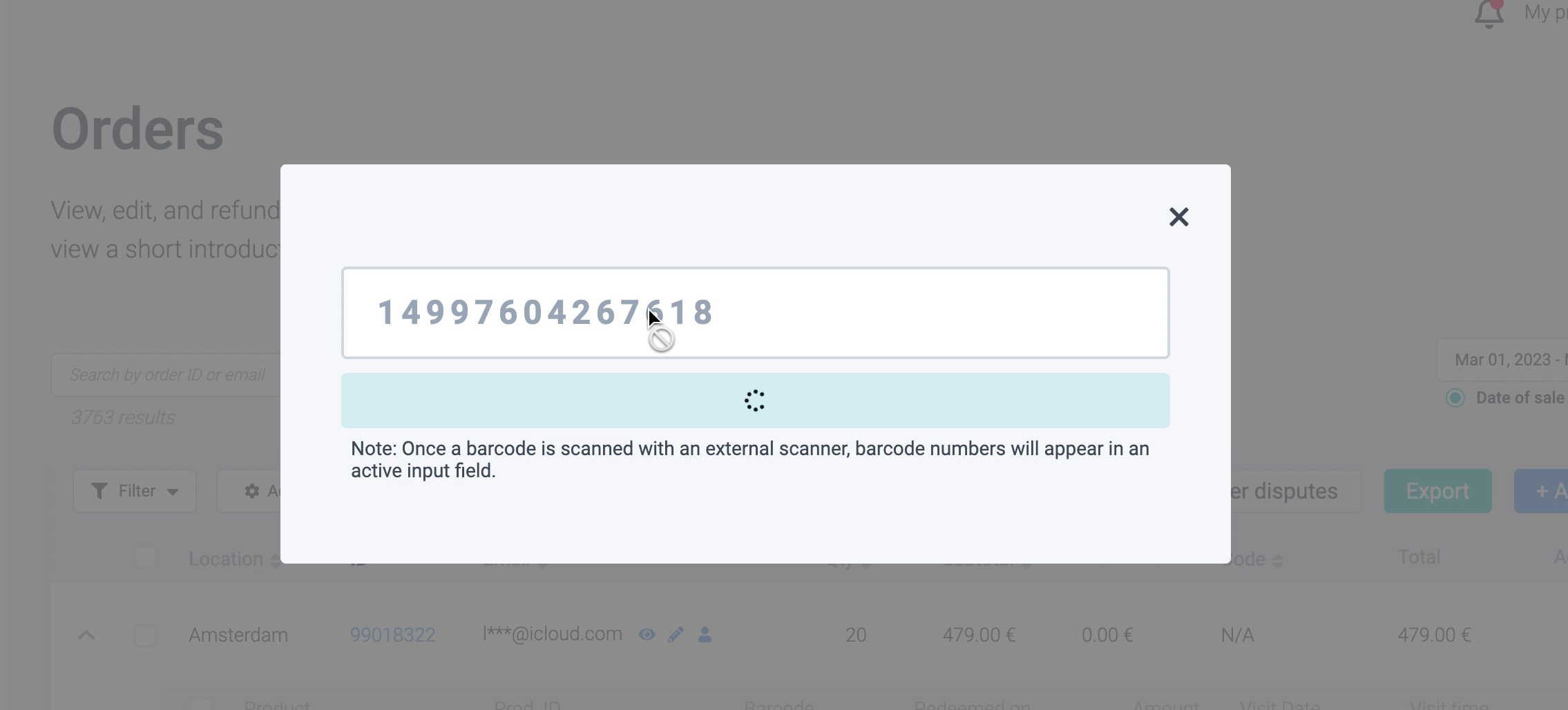
Scan one of the barcodes from the orders
Adjust the number of tickets, if needed
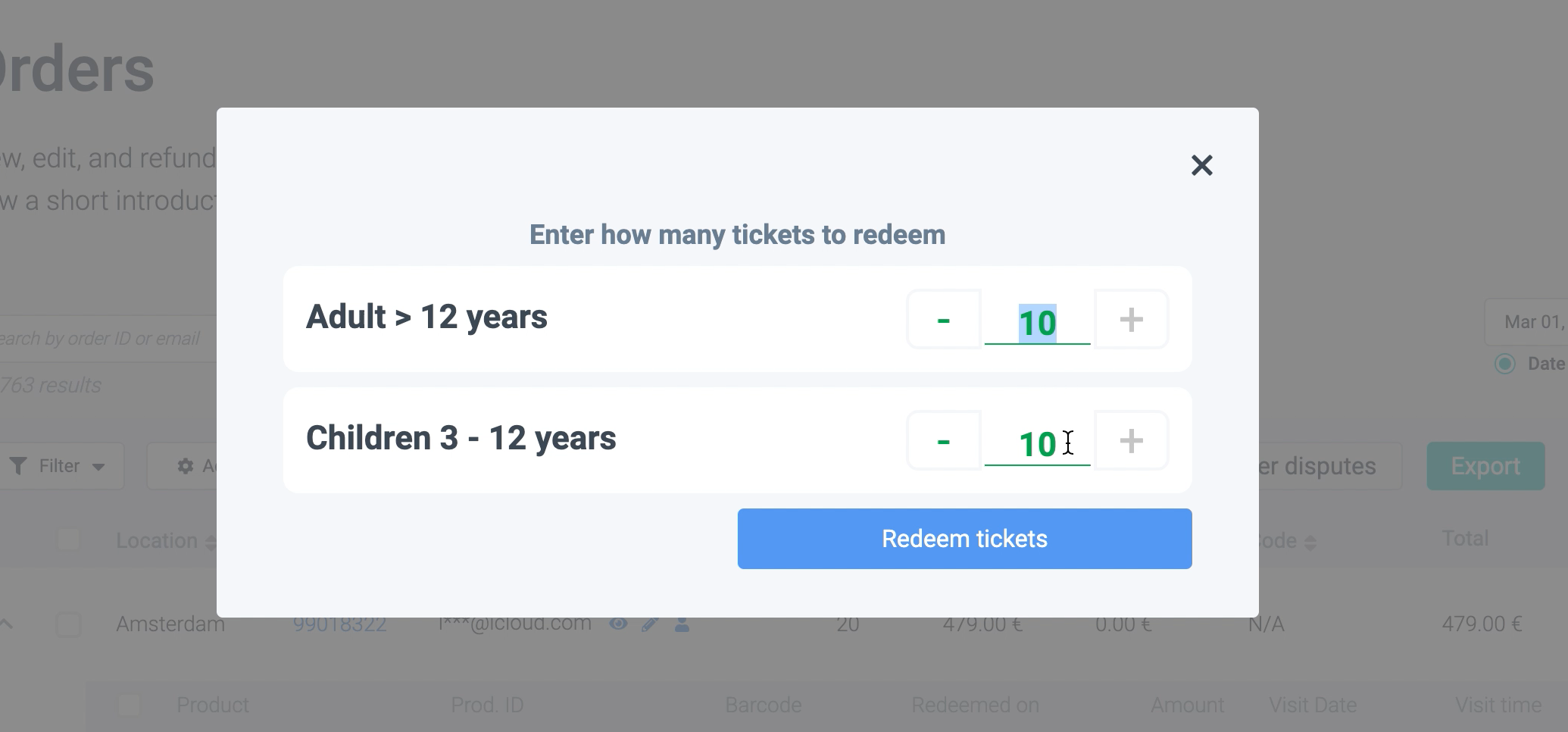
Click on "Redeem tickets"
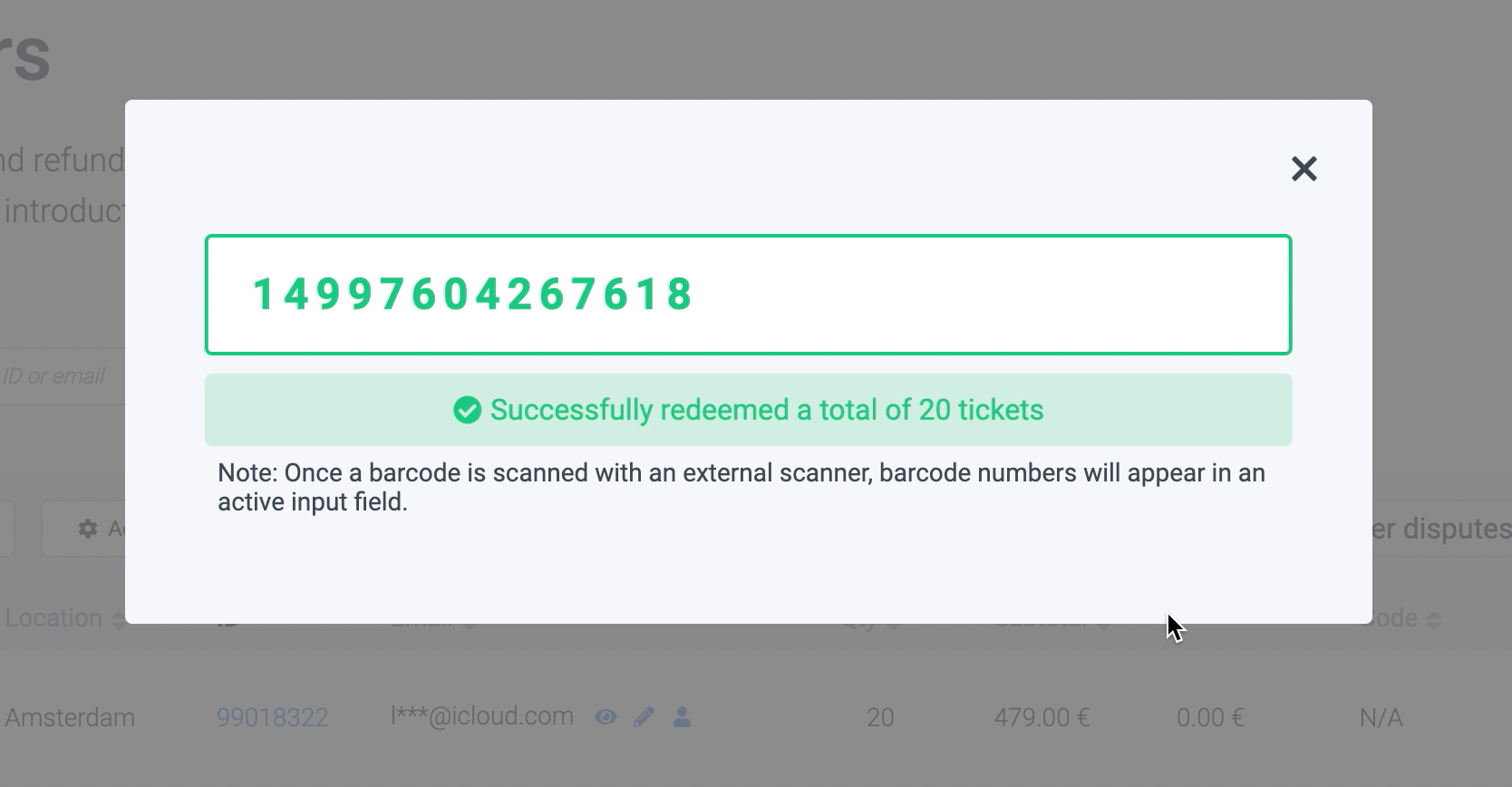
Done! You should see a confirmation of a successful scan.
How to set it up?
Contact support@convious.com to activate Group Redeem mode.
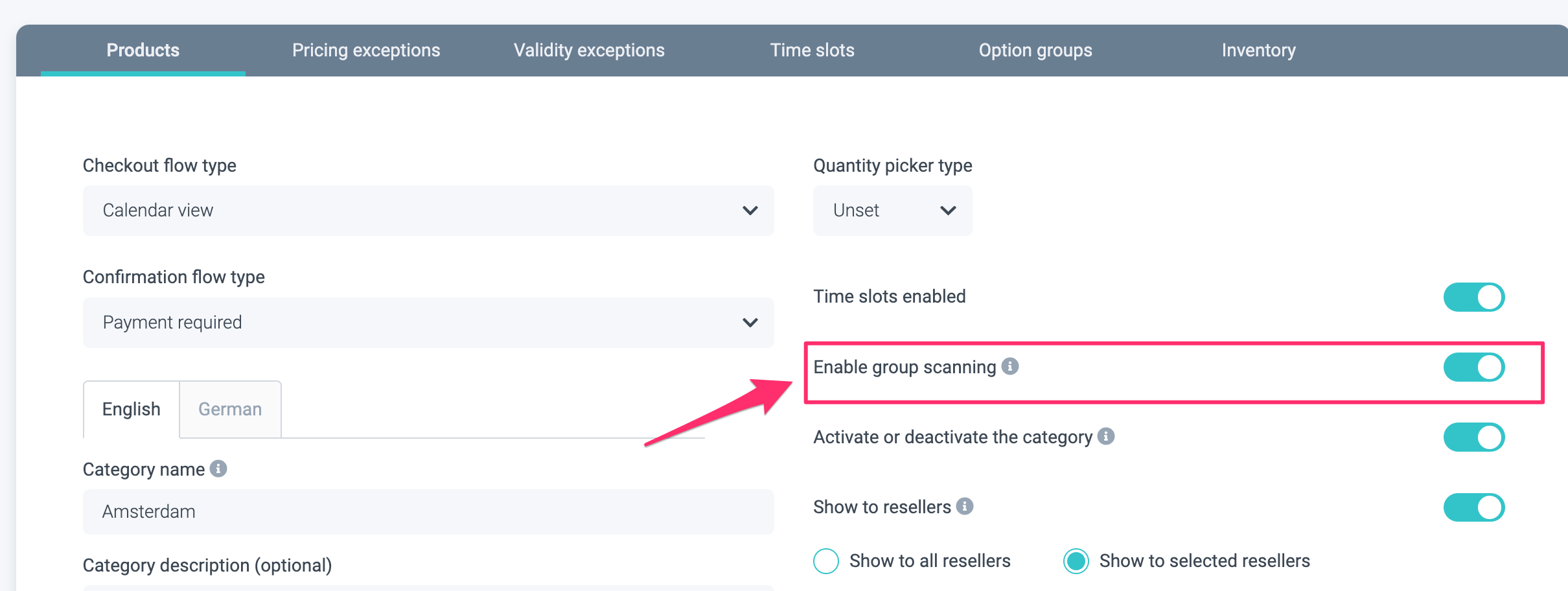
Then, go to the Control Panel and enable group scanning under the product list where you want the barcodes to be scannable in the group scanning mode.
Check the scan limit of the products (it should be once) and no limited ticket duration.
That's all!
You're ready to use group scanning mode in Redeem mode.