

What Is This?
Custom Payment Methods lets you add your own payment labels to the Convious POS terminal. Whether your venue accepts group invoices, holiday vouchers, or any other payment type, cashiers can now select the right label at checkout. Convious records the sale under that label so your orders, receipts, and end-of-day reports all reflect how customers actually paid.
Where to Find It
Navigate to: Settings → Account → Payment Methods → POS
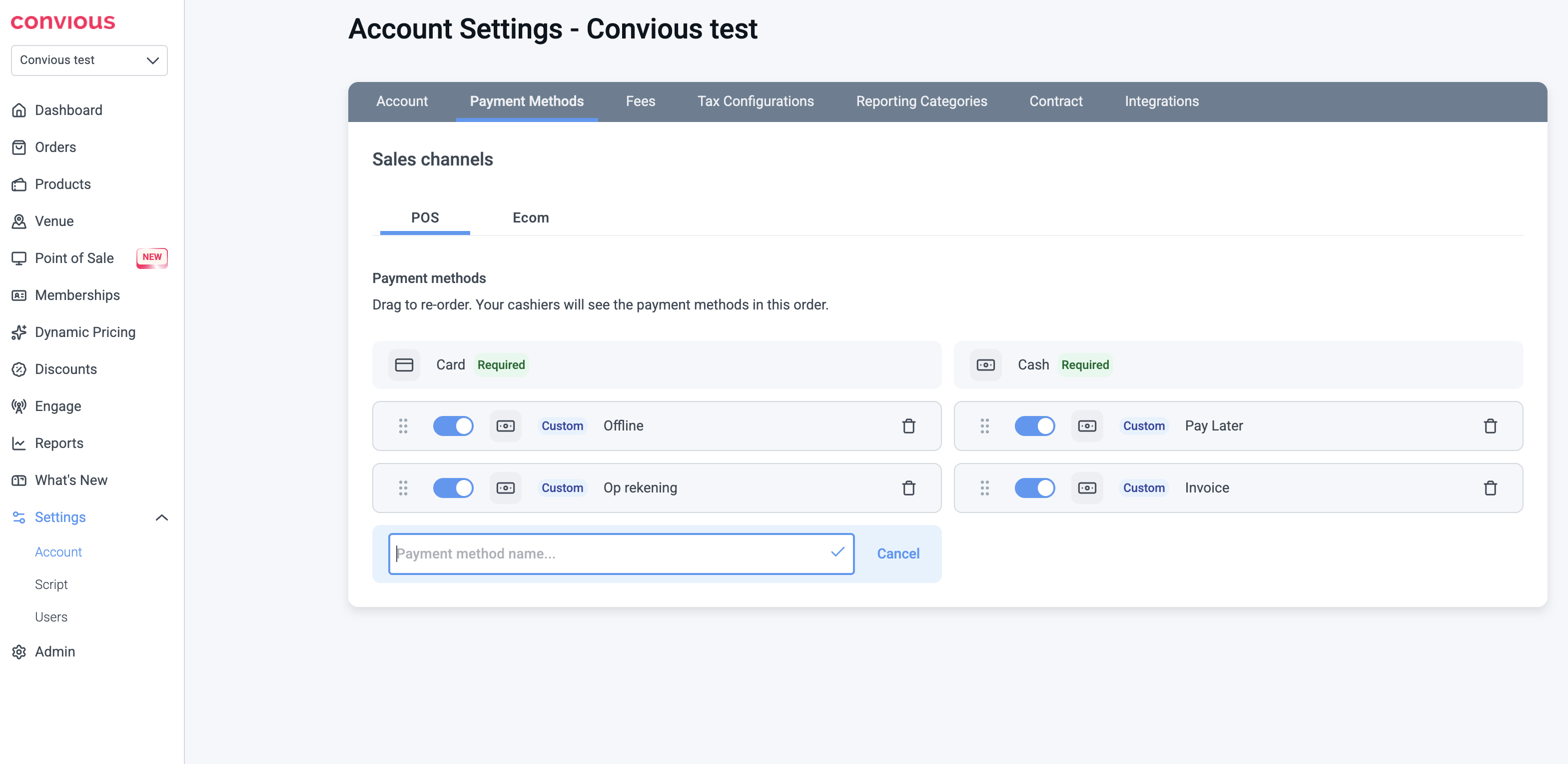
Card and Cash are built-in and cannot be removed. All custom methods you add appear below them.
How to Set It Up
Step 1 -Add a custom payment method
Go to Settings → Account → Payment Methods → POS
Click Add payment method
Type a name - for example "Invoice", "Op rekening", or "ANCV"
Press the checkmark to confirm
Repeat for each method your venue needs. There is no limit on the number of custom methods.
Tip: You can drag methods to reorder them. Cashiers see them in the order you set here.
Step 2 - Use it at the POS
When a cashier reaches the payment step, your custom methods appear below Card and Cash. The cashier selects the right method and the sale is recorded immediately.
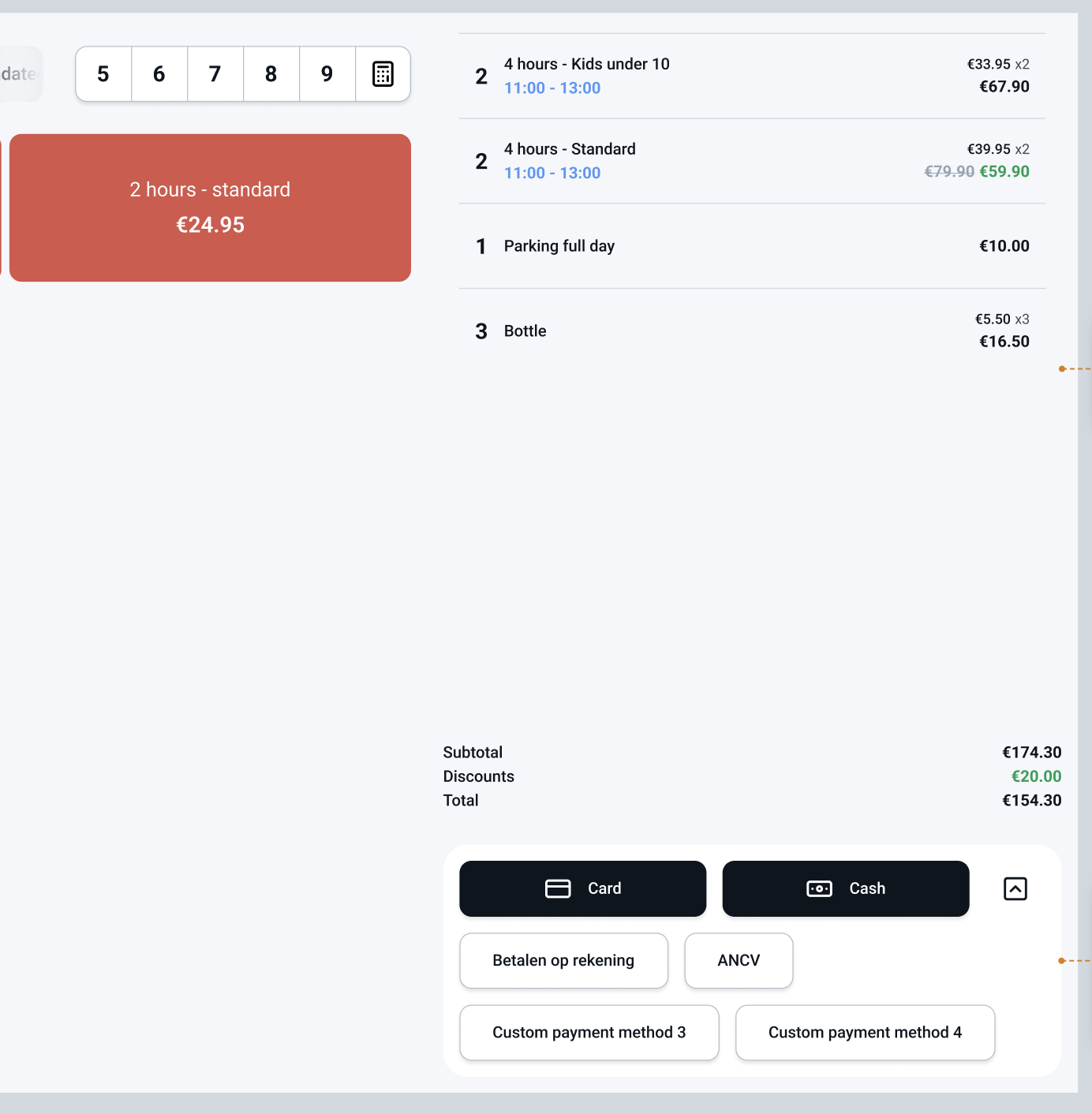
Note: Convious records that the sale happened under this label. The actual payment (handing over cash, processing an invoice, accepting a voucher) is handled by your staff outside Convious.
How It Works
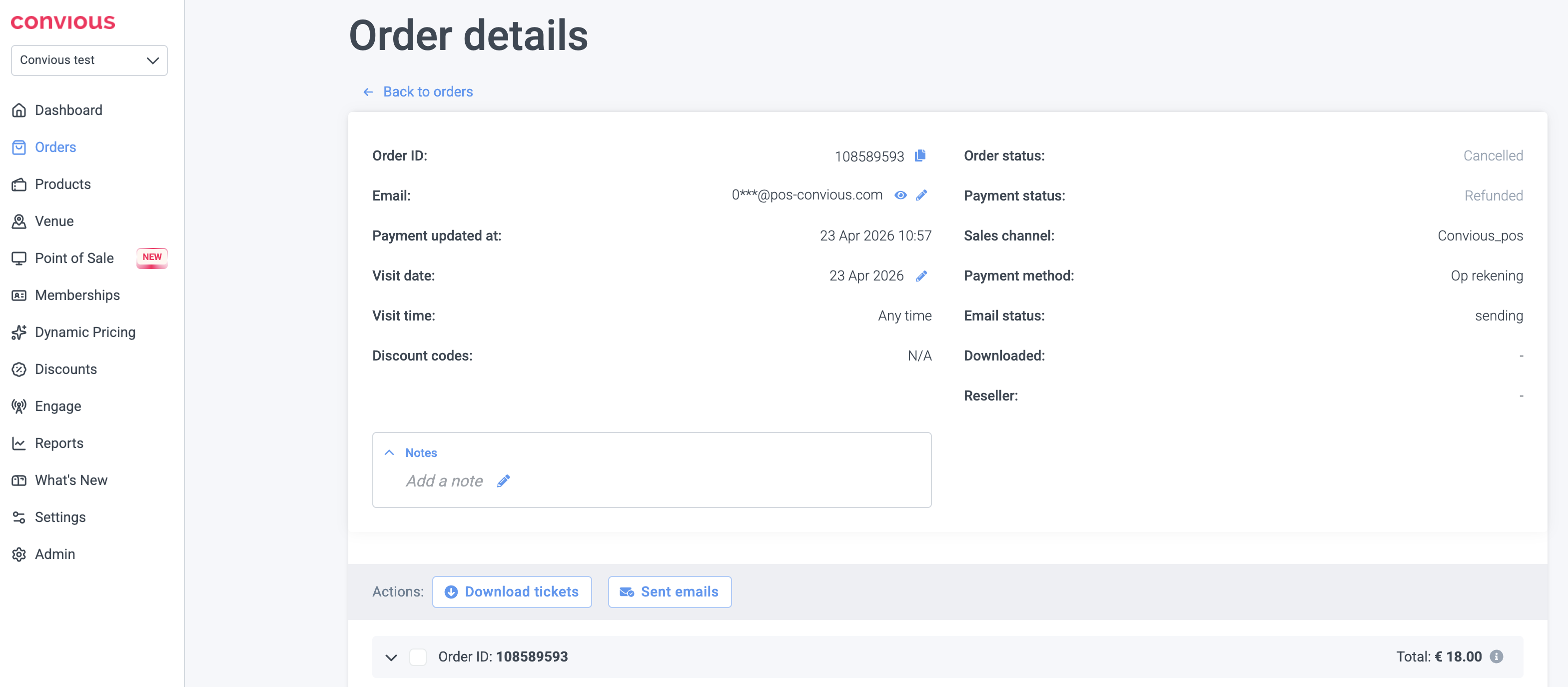
In order details - every order shows the payment method used, including custom labels.
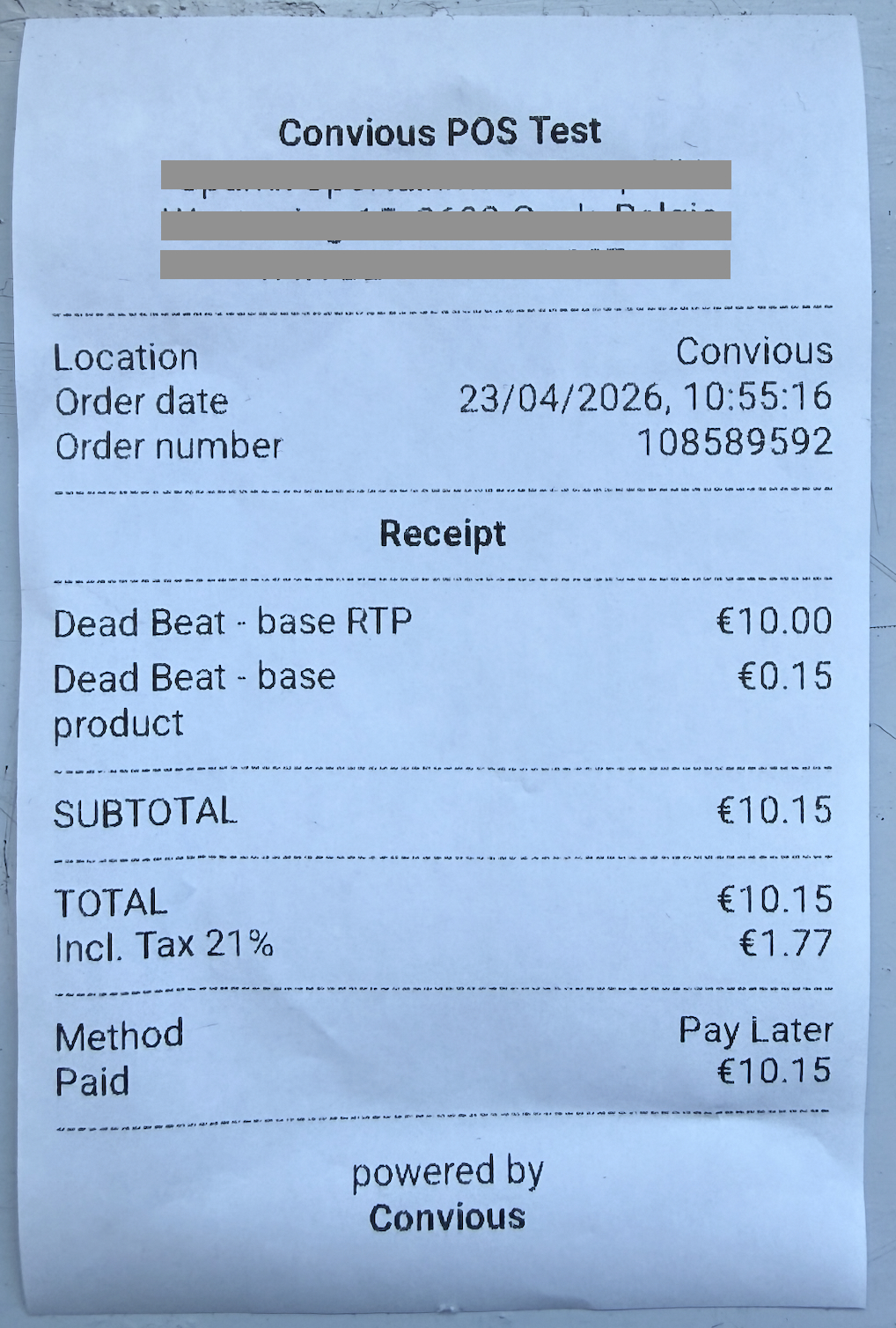
On receipts - the customer receipt prints the payment method name clearly.
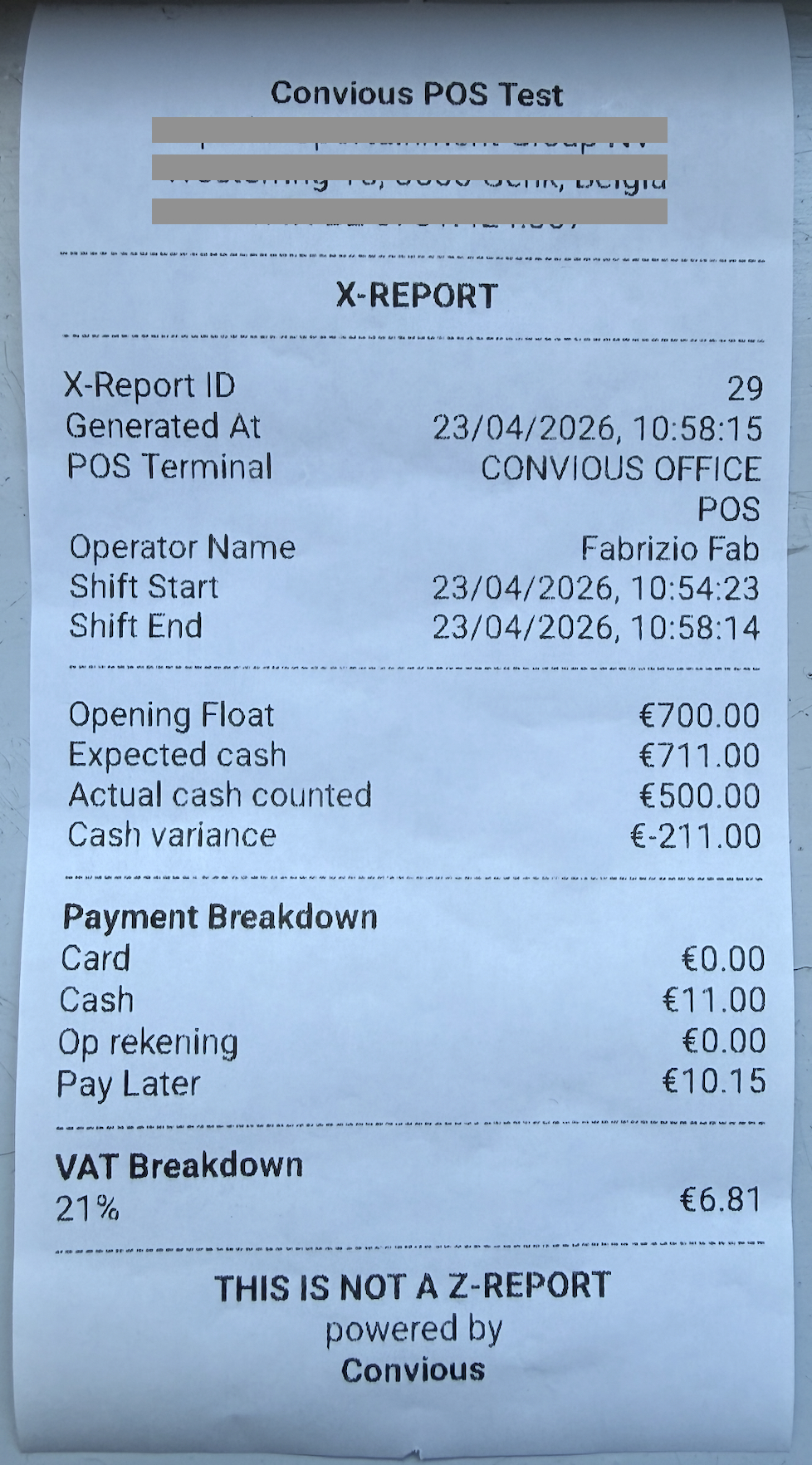
In X/Z reports - each custom method appears as its own line in the Payment Breakdown section, alongside Card and Cash.
Frequently Asked Questions
Can I rename a custom method after creating it? No - labels are permanent to keep your historical order data accurate. To rename, disable the old method and create a new one with the updated name.
What happens if I delete a custom method? It is hidden from the POS - cashiers can no longer select it. Past orders that used that method are not affected and remain in your reports.
Can my cashiers refund a custom payment order? Yes. Convious records the refund against the correct label. Your cashier handles returning the physical payment to the customer.
Will custom methods show up in my financial reports? Yes - in order details, CSV exports, and the X/Z payment breakdown. They do not appear in the cash drawer count, since no physical cash changes hands.
I operate in Germany - is the German market supported? Not yet. German venues are required to report all payment types to a certified fiscal device (TSE) under KassenSichV - and this integration for custom payment methods is not ready yet. We are working on it and it will be available in a future release.