

With the new Wallet Integration, your visitors can now add their tickets or memberships directly to Apple Wallet or Google Wallet. This makes entry smoother and faster especially for mobile users and returning guests.


What is Wallet Integration?
Apple Wallet and Google Wallet are native apps on smartphones that allow users to store digital passes such as tickets, boarding passes, and loyalty cards.
By enabling Wallet Integration, your visitors can:
Quickly access their ticket without searching through emails.
Use their wallet passes even when offline.
Easily scan their ticket at the entrance.
Where can visitors add tickets to their wallet?
The "Add to Wallet" button is shown automatically based on the visitor’s device (Apple or Android) and is available in the following places:
Thank You Page (on mobile devices only)
My Account / My Tickets (on mobile devices only)
Order Confirmation Email (on all devices)
Each eligible ticket will have its own Add to Apple Wallet or Add to Google Wallet button.
What types of tickets are supported?
Wallet Integration supports the following ticket types:
Single-use tickets.
Annual or seasonal memberships.
Group/bulk orders.
Each ticket generates a separate pass, allowing easy sharing between visitors.
How it works behind the scenes
The system automatically detects the visitor’s device and displays the correct pass format (Apple Wallet or Google Wallet)
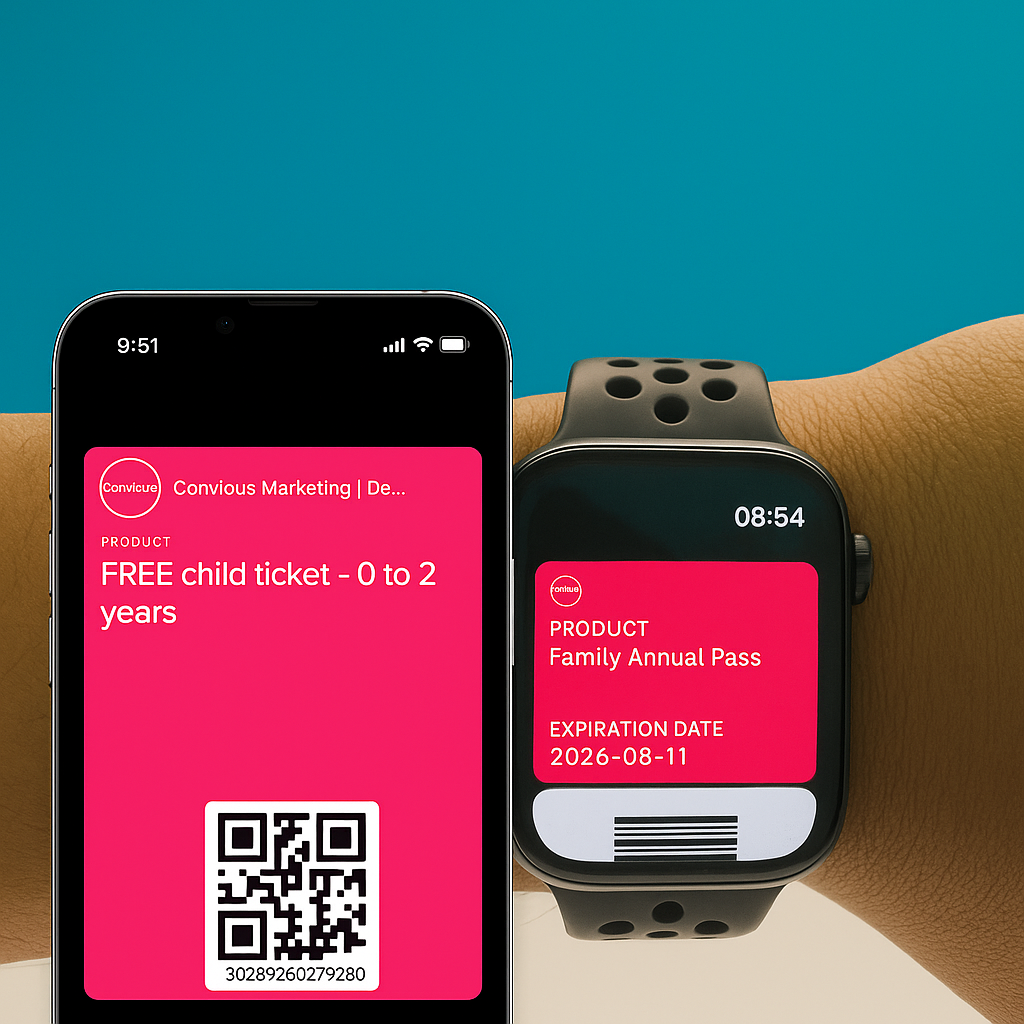
Passes contain key details such as barcode or QR code, event name, date/time, and ticket type.
Membership passes remain valid for the entire season/year and can be scanned multiple times.
Visitors can access their wallet passes even if they’re offline.
All wallet passes will automatically removed from the mobile wallet after the ticket’s expiration date.
Safe and reliable
All passes are generated securely and designed for offline scanning, making the experience seamless even in areas with poor connectivity.
Tickets preview in wallet
Frequently Asked Questions
1. Can visitors still use a printed ticket if preferred?
Yes, printed and PDF tickets are still accepted at the venue. Adding a ticket to Apple Wallet or Google Wallet is completely optional, it simply makes access easier and faster.
2. What if the “Add to Wallet” button doesn’t appear?
If the button isn’t visible:
Make sure the ticket is being viewed on a mobile device
Check that the email app or browser is up to date
3. Can multiple tickets be added to the wallet?
Yes. Each ticket in the order generates its own pass. All tickets can be added to Apple Wallet or Google Wallet individually.